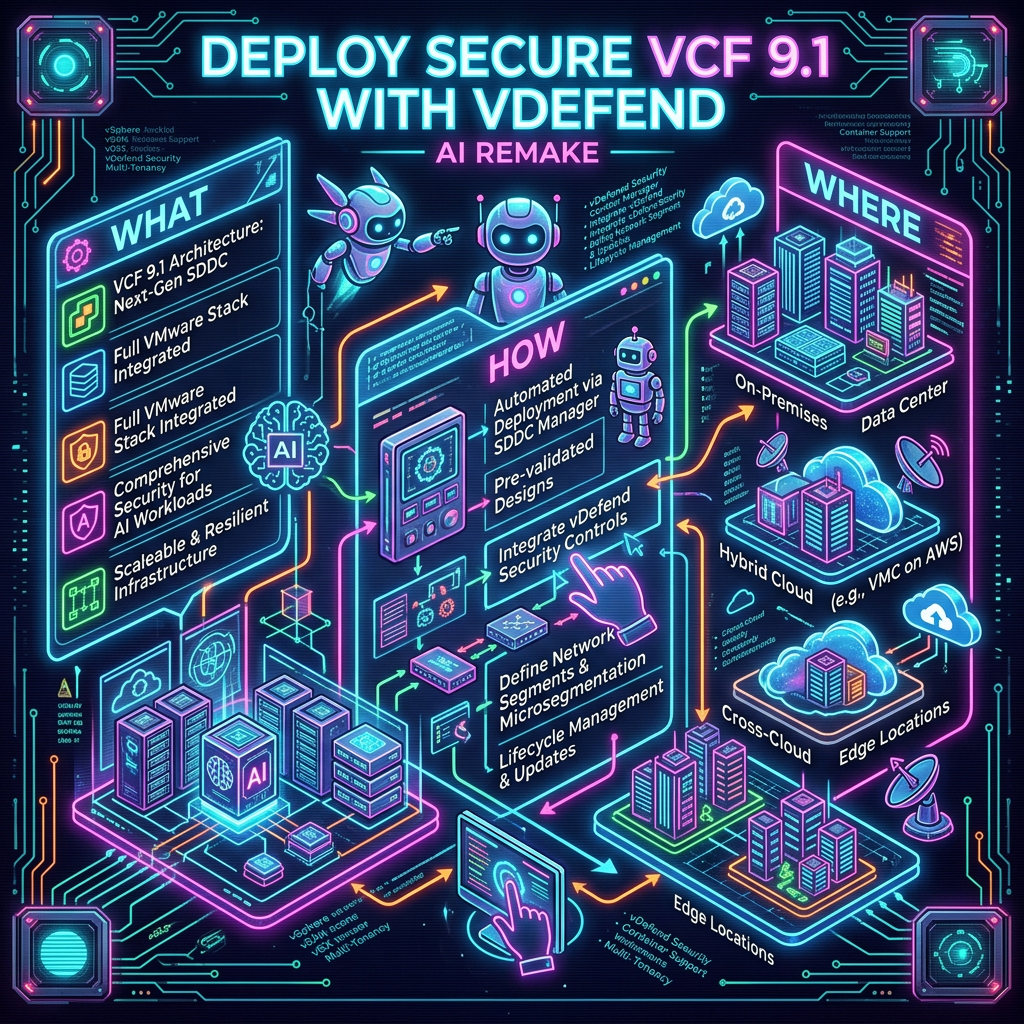
Working with friends at Google and Notebook LLM, I created nice little infographic with a podcast. My friends, are not security experts and need learn to say “AVI” correctly. But in the end they did great job, relating security story to the real world. Securing VCF with the Power vDefend and Avi.
This release is the base platform for VMware’s Application Network Security (ANS) division for VMware by Broadcom.
SSP replaces the older platforms for NSXi and vDefend with simplified Lifecycle Management (LCM) and OVA and VM-based deployment via installer (SSPI). This dramatically reduces the complexity of the deployment, LCM, and resource requirements.
One goal of this release was to achieve feature parity with the old platform, as well as provide one major new feature, the Proof of Value (POV) report.
The second goal was to prepare the platform to be the focal point of all new features and to manage the entire ANS suite of products. Going to repeat the statement, “prepare the platform to be the focal point of all new features and to manage the entire ANS suite of products.” You can see that I expect big things from SSP. This will not happen overnight, but I would expect multiple releases yearly that will drive the product to reach this goal.
Simplified Network Requirements:
Three FDQN address: SSPI, SSP, SSP-Service
SSPI (Single IP address) is your one stop shop for LCM and to start any troubleshooting for platform that is needed.
SSP is first IP Pool you will need (10-16 IPs) and SSP-Service is second up pool you will need (6-12)
Simplified Sizing: Three control VMs (4 vCPU and 8GB each) and 4-10 worker VMs (16 vCPU and 64GB each) total disk stroage is approximately 4TB.
If you are vDefend firewall only customer minimum requirement is 4 worker nodes, for ATP customers requirement is 5 worker nodes to this minimum requirement supports up to 57M flows per day.
Most likely you will get much prettier archtiecture drawings from the official release documents:
POV Report:
This reports provides a security score based on level of segmentation you have achieved with vDefend Distributed Firewall. Score 0-95 is given as the last 5% is all about contuinued improvement of security policy. I see couple use cases for this report, one snapshot in time show you where are on your segmentation journey with datapoints that can include obsolete OS, Obsolete protocols, blast radius and other factors. The second use case is reporting progress today we have score 45, over next 3 months our goal is to achieve score of 75 and so forth.
Zero Trust Architecture (ZTA), as defined in NIST 800-207, is all about eliminating implicit trust and continuously verifying every user, device, and application. A key element of this is micro-segmentation, which limits access and isolates systems to reduce security risks.
With tools like vDefend Distributed Firewall (DFW), implementing Zero Trust and micro-segmentation becomes more streamlined and effective.
What is Zero Trust?
Zero Trust is a security framework that:
Never trusts automatically—everything, inside or outside the network, must be verified.
Grants minimal access based on user or system needs.
Assumes breaches are inevitable and limits potential damage.
What is Micro-segmentation?
Micro-segmentation breaks a network into small, isolated zones and enforces strict access controls. Unlike traditional firewalls that protect the network perimeter, misrepresentation ensures every segment (application, user group, or device) is secure, even if an attacker breaches the network.
vDefend Distributed Firewall (DFW): A Zero Trust Enabler
vDefend (DFW) is a software-defined firewall that integrates seamlessly into modern, visualized environments. It’s designed to enforce Zero Trust principles and implement micro-segmentation efficiently.
Key Features of vDefend (DFW):
Granular Policy Enforcement: Apply security policies at the workload level (e.g., VMs, containers).
Distributed Architecture: Operates at the hypervisor level, eliminating the need for hardware firewalls for east west traffic.
Application Awareness: Understands application behaviors and enforces context-specific rules.
Real-Time Monitoring: Continuously tracks traffic and adapts policies as needed.
How vDefend DFW Simplifies Micro segmentation
Map Your Network:
vDefend (DFW) automatically discovers applications and traffic flows within your environment.
This visibility helps define logical segments and identify communication patterns.
Define Policies:
Use the built-in tools to create Zero Trust policies based on identity, application, or environment.
For example, block all communication between unrelated applications like HR and Finance.
Enforce Segmentation:
Apply micro-segmentation at the workload level without redesigning your network.
With DFW, every workload enforces its own security policy, reducing lateral movement risks.
Monitor and Adapt:
Continuously track real-time traffic and refine policies to address emerging threats.
Benefits of Combining Zero Trust, Micro-segmentation, and vDefend DFW
Enhanced Security:
Stops unauthorized access and isolates breaches, reducing damage.
Simplified Management:
Automates policy creation and enforcement across dynamic workloads.
Regulatory Compliance:
Aligns with standards like NIST 800-207 by protecting sensitive data.
Scalability:
Adapts easily to growing networks, cloud environments, and hybrid infrastructures.
Example Use Case: Securing a Multi-Tier Application
Traditional Network Setup:
A single breach can allow an attacker to move from the web server to the database server.
With vDefend DFW and Micro segmentation:
Web Tier: Access only allowed from external users on specific ports.
Application Tier: Only communicates with the Web Tier and specific services.
Database Tier: Accessible only to the Application Tier, blocking all other access.
By isolating each layer with vDefned DFW, even if the web server is compromised, the attacker cannot reach the database.
White Board Session on vDefend Intelligence and vDefend Distributed Firewall.
Conclusion
Combining Zero Trust Architecture, micro segmentation, and vDefend Distributed Firewall (DFW) offers a powerful way to modernize your cybersecurity strategy.
By segmenting your network into secure, isolated zones and enforcing dynamic, granular policies, you can significantly reduce attack surfaces, contain breaches, and align with frameworks like NIST 800-207. vDefend DFW simplifies and automates these processes, making Zero Trust achievable for organizations of any size.
In today’s digital landscape, cybersecurity threats are constantly evolving, and organizations must adopt advanced solutions to stay ahead of malicious actors. VMware’s vDefend Network Detection and Response (NDR) emerges as a robust solution designed to safeguard enterprises against sophisticated cyber threats. This blog explores the features, benefits, and real-world applications of VMware vDefend NDR.
What is VMware vDefend NDR?
VMware vDefend NDR is an integrated cybersecurity platform that provides advanced threat detection and response capabilities for network environments. It leverages machine learning, behavioral analysis, and real-time threat intelligence to identify, block, and remediate cyber threats across the data center landscape
Designed to enhance an organization’s network security posture, vDefend NDR seamlessly integrates with VMware’s existing virtualization.
Key Features of VMware vDefend NDR
Real-Time Network Threat Detection:
vDefend NDR utilizes advanced machine learning algorithms and behavioral analytics to detect anomalies and malicious activities across network traffic in real time.
Threat intelligence feeds from global sources enhance its ability to identify emerging network threats.
Automated Incident Response:
Integration with VMware’s NSX platform allows for precise micro-segmentation and enhanced network security.
Benefits of VMware vDefend NDR
Enhanced Network Visibility:
Gain unparalleled visibility into network traffic and behavior.
Centralized dashboards provide actionable insights and facilitate proactive threat management.
Reduced Response Time:
Automation and orchestration reduce mean time to detect (MTTD) and mean time to respond (MTTR) to network incidents.
Conclusion
In an era where cyber threats are more sophisticated than ever, VMware vDefend NDR provides a powerful, integrated approach to securing modern networks. By combining advanced detection, automated response, and multi-layered protection, it empowers organizations to defend against evolving threats and maintain resilience in the face of cyber challenges.
Invest in VMware vDefend NDR to protect your network assets, ensure regulatory compliance, and secure your path to digital transformation.