Distributed Firewall (DFW) has been a key concept in security datacenter for about a decade. The ability to do an L3-L7 firewall with inline speed and very low resource consumption is one of the critical aspects of vDefend (DFW). IDPS adds another layer of visibility but comes at a higher cost when it comes to computing resources.
To help plan to gain IDPS visibility and protection for sensitive/crown jewel applications, I have created a vRealize Operations (vROps) dashboard to assist with planning.
In the first half of the dashboard, you will choose the VMs you want to gain IDPS visibility/protection. As of NSX 4.2.1, you want to keep the number of Packets Per Second (PPS) under 150K; anything over 150K per second will cause packets not to be inspected. It will fail open so as not to interrupt the data plane (data flow).
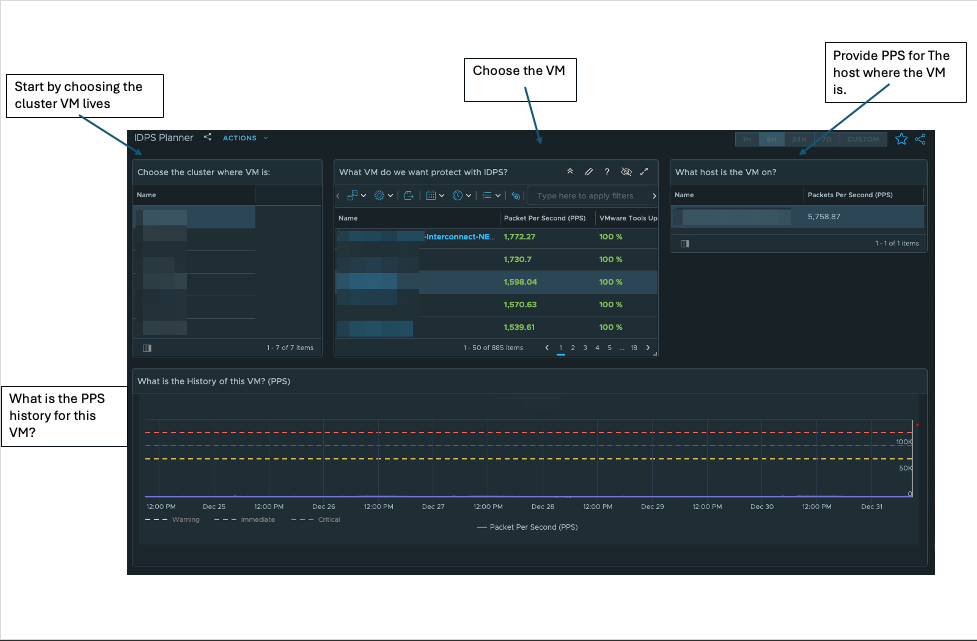
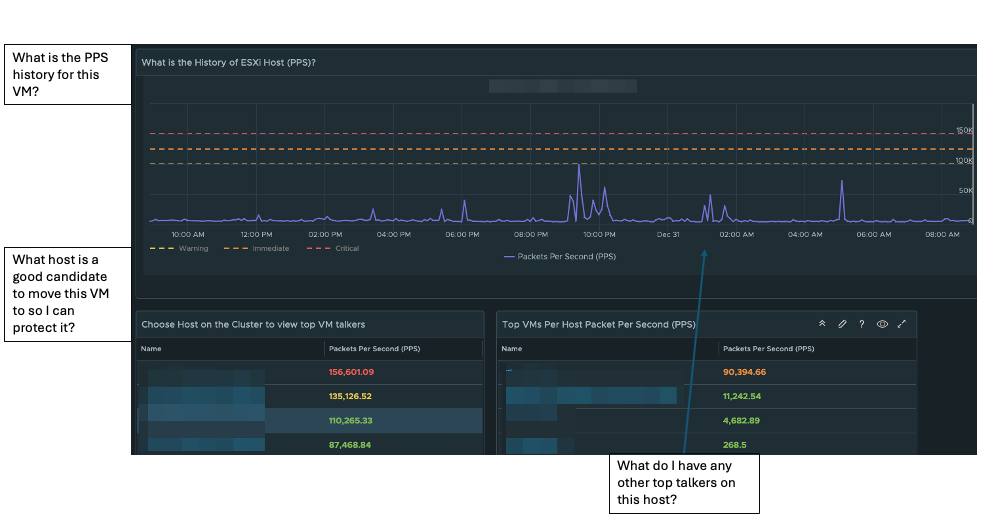
The second half of the planner shows the host’s PPS history and other VMs on that host. One thing to note about the history of PPS is backup windows and other activity that might cause large spikes regularly.
How to create an IDPS Planner:
In vROps:
Go to configure – > Policy – > Policy Definition – >
Edit the Default Policy (Click Edit Policy)
Click on Metrics and Properties
Select Object Type, choose vCenter
- Host System
- Virtual Machine
Metrics -> Network -> Packets Per Second change to Activate
After you Activate both, go to Visualization, choose Dashboard
- Manage
- click on three dots (…) and import dashboard zip
- click on views
- manage
- click on three dots (…) and import each view zip file
The zip file will have two zip archives, one for views and one for the dashboard. Make sure to unzip each archive.

 vPSO
vPSO 